
Choosing the Right POS System: Windows vs Android
Updated: Sep 17

The OS Question Nobody Asks Until It’s Too Late: Windows or Android? It sounds like a preference. At the point of service, it’s an operational decision, and getting it wrong is a problem you’ll feel in ways that never make it onto a spec sheet.
There’s a conversation that happens in almost every POS procurement. Someone in the room has already decided on an operating system.
Usually, because it’s what they’ve always used, or because their software vendor recommended it three years ago. Or maybe it's because they vaguely associate one platform with serious business and the other with consumer apps. The hardware gets chosen to match that assumption.
And then, six months into the deployment, something doesn't work the way it was supposed to: not catastrophically, just persistently. A peripheral that won't behave, an update that broke an integration, or a payment flow that requires one extra step. Each friction point is small enough to tolerate, but cumulative enough to cost.
The question is never which operating system is better. It’s which one is right for this environment, this workflow, this edge. And whether the point of sale system hardware was built to serve that answer.
Comparing Windows and Android for Your Point of Sale System
Windows IoT Enterprise exists because some environments genuinely need it. If your POS software was built for Windows, has been maintained on Windows, and your team knows how to manage it on Windows, changing platforms is not modernisation. It’s a migration project. And migration projects have a way of surfacing every assumption that was baked into the original system.
Windows also makes sense where the peripheral ecosystem is deep and established. High-volume checkout with scales, scanners, printers, and cash drawers from multiple vendors all wired into a single workflow. That’s a Windows environment, because Windows has thirty years of driver support behind it.
The Element CA255W was built for exactly this kind of operation. Intel Elkhart Lake processor, three RS232 serial ports, powered USB, cash drawer port, and optional support for MSR, fingerprint readers, and customer displays. Every I/O port is there because a real deployment needs it.
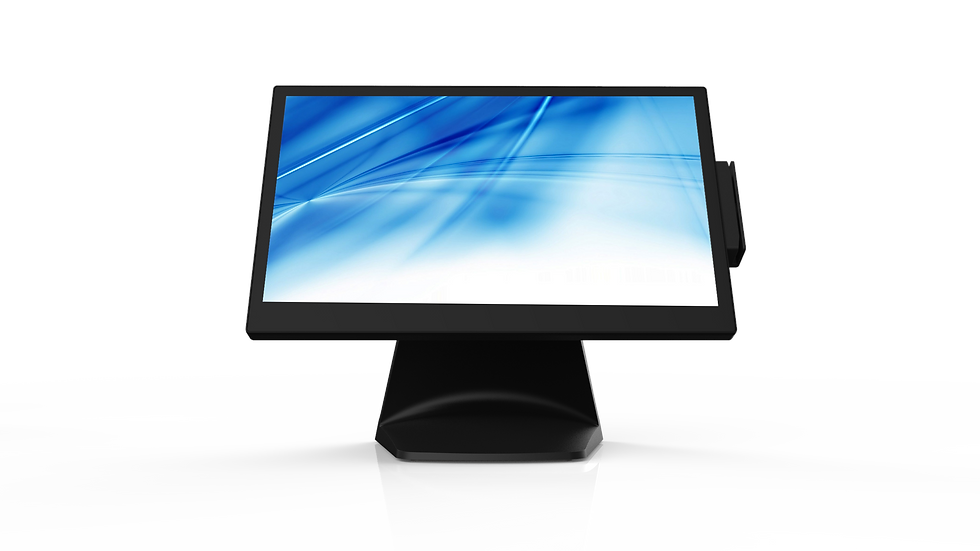
The fanless architecture means no moving parts on a counter running twelve hours a day. The quick-swap M.2 SSD means that when something needs attention, the fix is minutes, not a service call.
Windows also fits anywhere the environment demands domain management, user account control, or integration with enterprise IT infrastructure. A multi-site retail operation where the IT team manages devices through Group Policy is not a place to introduce a second OS without a very good reason.
The CA255W runs Windows 11 IoT Enterprise. The IT team gets a device that behaves like every other device on the network. Familiar, manageable, auditable.
Why Choose an Android POS System for Retail and Hospitality?
Android in a POS context is often misread as the cheaper option. Lighter, simpler, less capable. That’s not what Android has become in commercial deployments.
Android 15 on a purpose-built commercial device is a locked-down, managed, certified platform. The Element Nebullar GM156 runs Android 15 on an eight-core processor and carries EDLA GMS certification. In its dual-screen configuration, NFC is built directly into the customer-facing display. That NFC is the payment terminal.
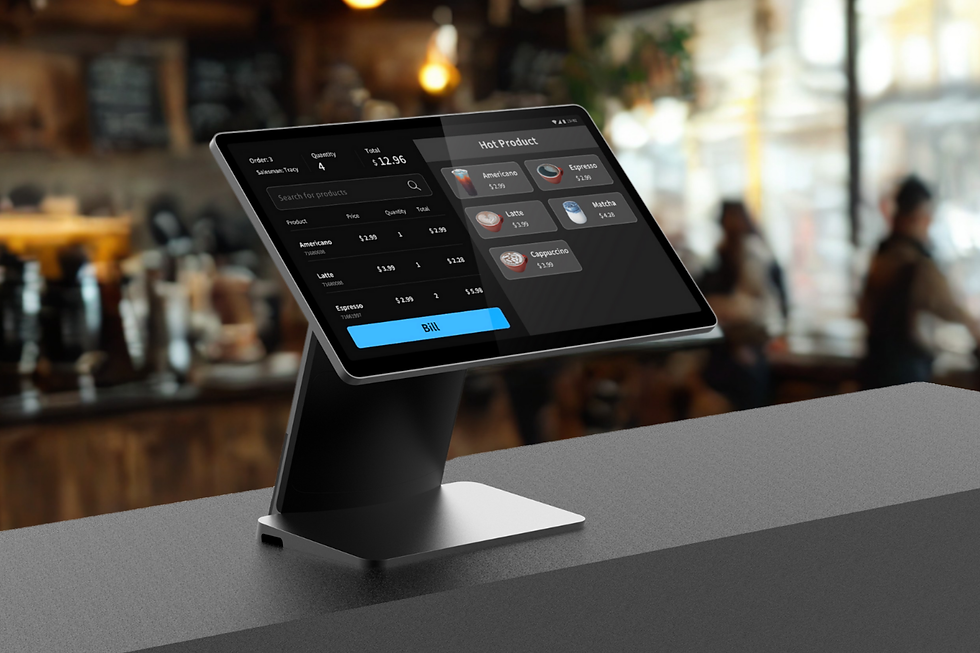
PaySuite FLEX turns the GM156 into a fully integrated tap-to-pay device with no external terminal, no bracket, no cable running across the counter to something that needs its own power and its own support contract. The transaction happens where the customer is already looking. That is a design decision made in POS hardware, not software.
Android is also right where deployment speed and fleet management matter. A hospitality group opening locations every quarter does not want a Windows imaging process. It wants a device that enrolls into its MDM, loads its application, and is ready to trade within the hour.
The GM156 supports PaySuite HUB for remote updates and centralised control across the fleet. That kind of operational visibility is not a luxury for a growing group. It’s table stakes.
Cafes, hotel lobbies, QSR counters, and small to mid-size retail: these are Android environments, not because Android is easier, but because the workflow is touchscreen-native, the app ecosystem was built for it, and payment integration does not require a second device on the counter. The counter stays clean. Staff are not navigating around hardware that was never designed to sit where it has been placed.
Hybrid POS Solutions and Flexible Hardware Options
Some environments genuinely need both, or need the freedom to decide later. A retailer trialling self-checkout across three store formats cannot commit to a single OS before they know which configuration will scale. The Nova 600 supports Android 13, Windows 11 IoT, and Linux on the same hardware platform, across three motherboard options.
That is not hedging. It is a recognition that the right answer is not always knowable at procurement time, and that forcing an OS decision before the workflow has been tested serves nobody well.
The Nova 400 offers the same flexibility on a 21.5-inch chassis. A hospitality operator and a pharmacy chain can deploy the same physical unit into entirely different software ecosystems. The POS hardware does not force the conversation. It holds the door open.
Making the Final Decision on Your Point of Sale Architecture
The OS question is really a workflow question. How does this transaction start? Who initiates it? What peripherals need to be in the room? What can the IT team manage remotely, and what does the software assume about the environment it was built for?
Answer those questions, and the OS answer tends to follow. The hardware question follows from that. What does not work is choosing the hardware first and hoping the software fits, or choosing the OS by habit and assuming the workflow will adapt.
Trust is not created in the cloud. It is not created in a roadmap. It is created right there, in a single interaction, when the technology behaves exactly as the person using it expected.
That applies to the staff member running the transaction as much as the customer completing it. The right OS on the right point of sale hardware in the right environment is the foundation of that moment going the way it should.
Contact Element today to find the right hardware and OS combination for your environment.


Comments